



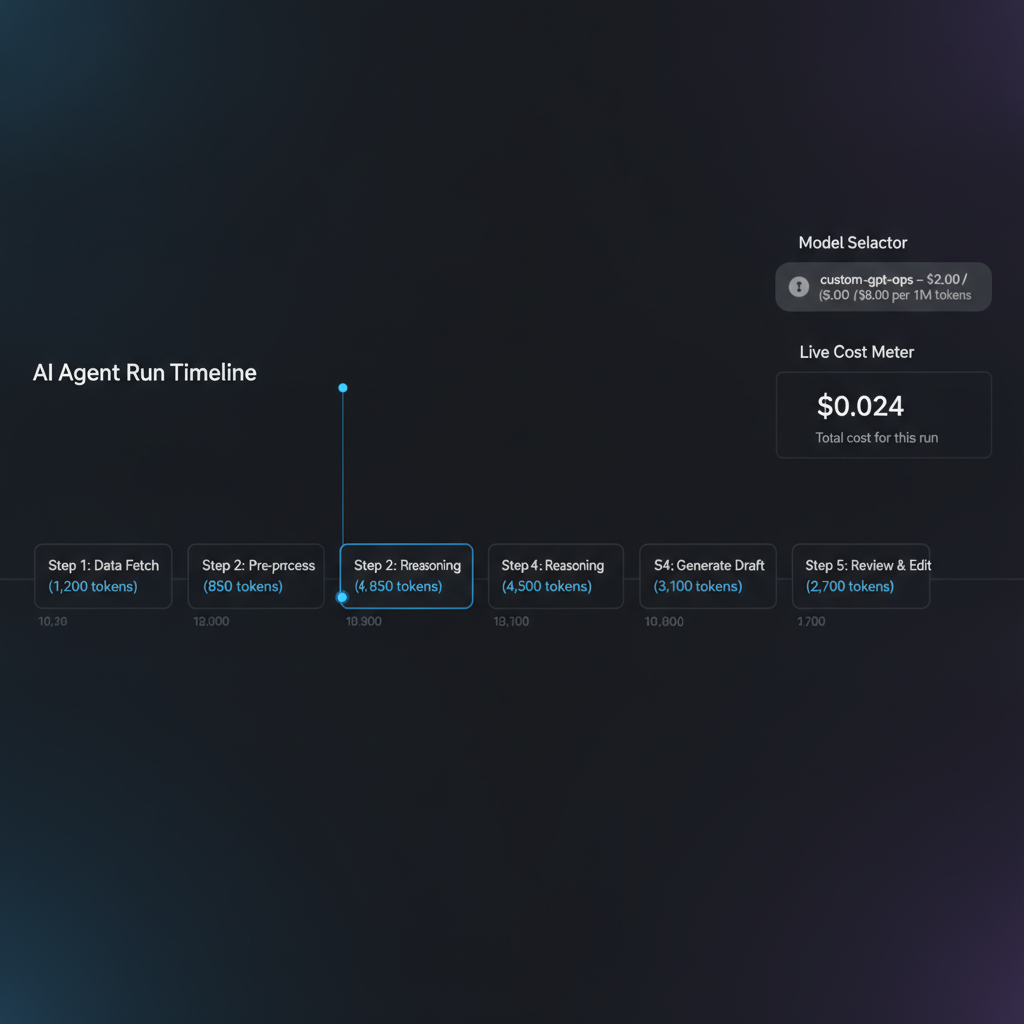
Smart, simple win from Simon Willison: display per-token pricing right inside your agent/LLM debugger. When developers see “this run costs $X per 1M tokens” next to the model name—including custom models—they make better, cheaper choices.
Why this matters
LLM cost is a design constraint, not an afterthought. Surfacing price where work happens nudges teams toward lean prompts, right-sized models, and faster iteration.
Add pricing in minutes
- Create a price map: for each model, store prompt and completion $ per 1M tokens. Include negotiated rates for your custom/fine-tuned models.
- Fetch usage: capture prompt_tokens and completion_tokens from provider responses, or tokenize locally for estimates before you send.
- Calculate live cost per run and per message. Show totals and deltas as the agent executes tools and emits tokens.
- Expose price in the model picker (e.g., “custom-gpt-ops – $2.00 / $8.00 per 1M tokens”). Default to a cheaper model, allow upgrading when needed.
- Log costs by workflow and user. Alert on spikes, regressions, or when prompts exceed your budget threshold.
Simple formula: cost = (prompt_tokens / 1,000,000) * prompt_price + (completion_tokens / 1,000,000) * completion_price.
Check current per-token rates from vendors: OpenAI pricing, Anthropic pricing. Keep custom model rates in config so they’re versioned and reviewable.
Team tips for cost-aware agents
- Use model tiers: draft with smaller/cheaper, finalize with larger only when confidence is low.
- Show price and context window together; long context on pricey models compounds cost fast.
- Trim tokens: caching, retrieval dedupe, smaller output schemas, stop sequences, and structured generation.
- Set SLOs: 95th percentile latency and cost per workflow. Optimize the worst offenders first.
- Track tool costs (e.g., search, vector lookups) alongside token spend for a full picture.
Watchouts for custom models
- Negotiated pricing varies—store source-of-truth in code or env, and display the effective date next to the model.
- Version drift: price per model version, since rates and performance can change.
- Non-token fees: storage, hosting, or minimums may apply. Reflect these in your dashboards as allocated overhead.
Takeaway
Put the price tag next to the model name. That tiny UI nudge drives better prompts, smarter model choices, and lower bills—without slowing teams down.
Like this nugget? Get more practical AI tips in your inbox—subscribe to our newsletter.
